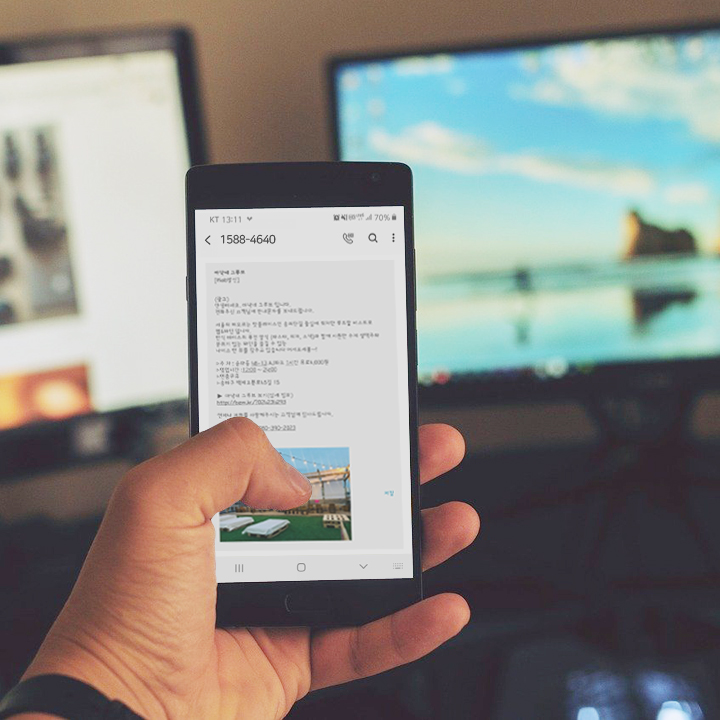
SMS messages sent to users in South Korea may sometimes be filtered or moved away from the main inbox, even when the sender believes the message was transmitted successfully.
This can happen because South Korean mobile operators, smartphone manufacturers, and messaging applications use spam-protection systems to identify potentially unwanted or suspicious messages.
In this article, we explain how SMS spam filtering works in South Korea, where recipients can check filtered messages, and what businesses should consider when sending A2P SMS.
Why Are SMS Messages Filtered?
Spam filtering systems are designed to protect mobile users from unwanted advertising, phishing, smishing, fraudulent links, and repeated promotional messages.
A message may be more likely to be filtered when it contains:
Suspicious or shortened URLs
Repeated promotional language
Unrecognized sender numbers
Financial, loan, or investment-related wording
Excessive symbols or unusual formatting
Content that does not match the registered messaging purpose
Missing sender identification
Missing promotional disclosures or opt-out instructions
Filtering criteria may vary depending on the mobile operator, device, messaging application, and the recipient’s personal settings.
This means that the same message may appear normally on one device but be moved to a spam folder on another.
Where Do Filtered Messages Go?
Filtered messages may not always appear in the recipient’s main SMS inbox.
Depending on the mobile operator and device, they may be moved to:
A spam or blocked-message folder
A separate unknown-sender category
A carrier-provided spam protection application
A device security application
A third-party messaging or security app
A recently deleted or quarantined message section
The exact location differs by operator, smartphone model, operating system, and messaging application.
Recipients who cannot find an expected SMS should first check the device’s spam and blocked-message settings.
Carrier Spam-Protection Services
South Korean mobile operators may provide spam-protection services that help users manage suspicious text messages and calls.
Depending on the service, users may be able to:
Review filtered messages
Block specific phone numbers
Register unwanted keywords
Manage blocked senders
Restore a number or keyword that was blocked by mistake
Report spam or smishing messages
Change spam-filtering preferences
Users should refer to the spam-management service or customer support channel provided by their mobile operator.
The available functions and menu names may differ depending on the operator and mobile device.
How to Check Whether a Message Was Filtered
When an expected message is missing, the recipient can check the following:
Open the default messaging application.
Look for a Spam, Blocked, Unknown Sender, or Filtered Messages folder.
Check whether the sender number has been blocked.
Review the device’s built-in spam protection settings.
Check any carrier-provided spam protection application.
Review third-party security or call-blocking applications.
Restart the device and reopen the messaging application.
Contact the mobile operator if the message still cannot be found.
The sender may also need to confirm whether the message was accepted, rejected, delayed, or filtered during delivery.
What Businesses Should Check Before Sending SMS to South Korea
For businesses sending OTPs, notifications, alerts, or promotional messages, local filtering behavior should be considered before launch.
Use recognizable sender information
Recipients should be able to identify the company or service that sent the message.
An unfamiliar sender number or unclear company name may increase the likelihood that the message is ignored or filtered.
Avoid suspicious links
Use a recognizable company domain and avoid unnecessary URL shorteners.
Links that appear unfamiliar, heavily redirected, or unrelated to the sender may resemble phishing or smishing content.
Clearly identify the purpose of the message
The message should explain why the recipient is receiving it.
For example:
Verification code
Account alert
Payment confirmation
Delivery update
Appointment reminder
Clear context can improve user trust and reduce confusion.
Separate transactional and promotional traffic
OTP and operational notifications should not be mixed with marketing content.
Promotional messages may require different wording, disclosures, sending conditions, and compliance procedures.
Review local requirements
Businesses should confirm whether sender registration, message labeling, template approval, opt-out instructions, or restricted sending hours apply to their use case.
Requirements may vary depending on the message type and destination route.
Test across multiple environments
Testing should include:
Different South Korean mobile operators
Different smartphone manufacturers
Android and iOS devices
Different messaging applications
OTP, transactional, and promotional content
Korean and English text
Messages with and without links
Long messages and Unicode characters
A message that displays correctly in one environment may be handled differently in another.
What Should Be Collected for Troubleshooting?
When a recipient reports that a message was not visible, the following information can help identify the cause:
Recipient phone number
Mobile operator
Date and time of transmission
Message ID
Sender number or sender ID
Exact message content
Message type
Delivery report status
Device model
Operating system
Messaging application
Whether the spam or blocked-message folder was checked
This information helps determine whether the issue occurred during routing, carrier processing, content filtering, or device-level handling.
Spam Filtering and Delivery Status Are Different
A message may pass through the network successfully but still be moved to a filtered folder before the user sees it.
For that reason, the following should be treated as separate steps:
Message submission → network delivery → carrier filtering → device filtering → inbox display
A successful transmission status does not always guarantee that the message appeared in the recipient’s main inbox.
Businesses should evaluate not only whether messages are technically delivered, but also whether they are visible, readable, and trusted by recipients.
How SureM Can Help
SureM supports international and domestic business messaging and helps customers investigate delivery and filtering issues related to South Korea.
Support may include:
Delivery report analysis
Route and carrier review
Sender information guidance
Message-content review
OTP and transactional messaging consultation
Korea-specific messaging support
API and SMPP integration support
Technical troubleshooting
When contacting SureM, please provide the message ID, destination number, transmission time, sender information, and message content so the issue can be reviewed more efficiently.
Contact Us
Email: suremaster@surem.com
Phone: +82-1588-4640
Website: www.surem.net